Sales Document Automation in 2026: How Deal Rooms Replace Manual Sales Ops
Sales document automation uses deal rooms and tracking platforms to send, control, and monitor sales collateral — without emailing files. Compare top tools and set up your first automated room.


On this page (8 sections)▼
Sales Document Automation in 2026: How Deal Rooms Replace Manual Sales Ops
TL;DR: Sales document automation means using a deal room or document-tracking platform to send, track, and control access to sales collateral — without emailing files. You get real-time open notifications, per-page heatmaps, NDA gates, and access expiry. Top tools: SendNow, DocSend, Papermark, PandaDoc. Setup takes under 30 minutes.
Table of Contents
- What Is Sales Document Automation?
- Why Email-Based Sales Docs Fail
- Core Features to Look for in 2026
- 5 Tools Compared Side-by-Side
- How to Set Up Your First Automated Deal Room
- What Practitioners Say
- Related Articles
- FAQ
What Is Sales Document Automation?

Sales document automation is a category of software that handles how proposals, pitch decks, case studies, contracts, and pricing sheets are shared, tracked, and controlled during the sales process. It is not the same as document automation tools like PandaDoc or Docusign that generate contracts from templates — those solve a different problem.
Sales document automation specifically addresses what happens after you hit send. The moment a rep emails a PDF proposal, visibility disappears. Sales document automation replaces that moment with a tracked, controlled link — a deal room or smart document share — where the seller can see exactly who opened the file, which pages they spent time on, when they returned, and whether they forwarded it to a colleague.
The practical result is that sales teams stop guessing. Instead of the familiar "just checking in — did you get a chance to look at the proposal?" follow-up, reps can see that the CFO opened the pricing page three times yesterday and spent four minutes on the ROI section. That is intelligence, not instinct.
The term covers several related capabilities:
- Smart document links — a URL that opens a viewer rather than downloading a file
- Deal rooms — a private mini-site containing all documents for a single prospect or deal
- Document analytics — time-on-page data, viewer identity, device type, return visits
- Access controls — view-only mode, download restrictions, password gates, NDA agreements, expiring links
- Notifications — real-time alerts when someone opens, downloads, or shares your document
Teams ranging from two-person startups to enterprise sales organizations use these tools. The minimum viable setup is a single shared document link with open tracking. The full setup is a branded deal room with staged document release, NDA gate, and CRM integration.
Why Email-Based Sales Docs Fail
Email is the default method for sharing sales documents and the worst tool for the job once a deal reaches any real complexity. Four problems compound each other:
No visibility after send. Once a PDF lands in a prospect's inbox, the sender has no way to know whether it was opened, forwarded to a competitor, or deleted unread. A McKinsey report on B2B sales found that 80% of B2B buying decisions involve multiple stakeholders — yet email gives sellers zero visibility into which stakeholders are engaging with materials and which are not.
Version chaos. A proposal sent in September is different from the one revised in October. When prospects forward old attachments internally or compare two versions they received at different times, confusion follows. Deals stall because the buying committee is reviewing a deck with outdated pricing or a case study that referenced a discontinued product.
No access control. An emailed PDF can be forwarded to anyone — including the prospect's current vendor or a competitor building a counter-proposal. There is no way to revoke access, set an expiry date, or restrict printing once the attachment leaves the outbox.
No audit trail. For deals that go through legal review or compliance sign-off, there is no record of which documents were shared, when, and with whom. This creates risk for regulated industries and makes post-deal debrief nearly impossible.
Gartner research consistently shows that sellers who provide the right information at the right buying stage convert at higher rates. Sales document automation closes the information gap by telling reps exactly where buyer attention is focused — so follow-up is relevant, not random.
Core Features to Look for in 2026
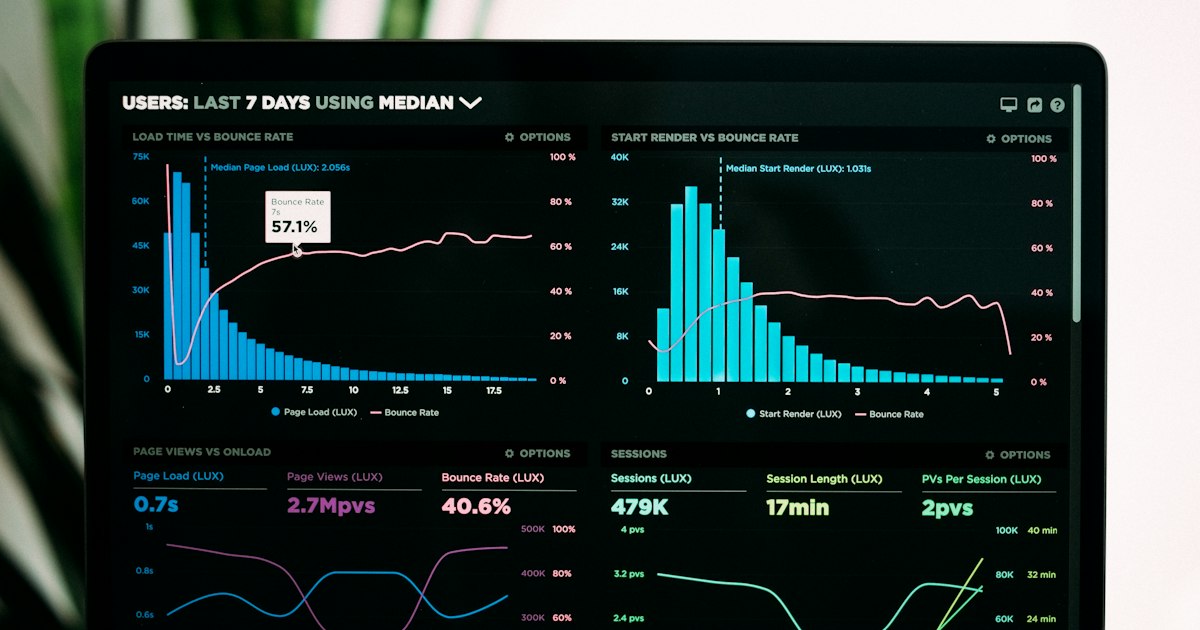
Not all sales document platforms offer the same feature set. Before choosing a tool, confirm it covers the capabilities your sales motion actually requires.
Real-time open notifications. Instant alerts when a prospect opens a document — ideally with viewer name if they logged in or verified their email. This is the baseline feature of any tracking tool.
Page-by-page analytics. Time-on-page data for each slide or page. A prospect who spent 45 seconds on page 1 and 8 minutes on the pricing page is telling you exactly where to focus the next conversation.
NDA gate before access. The prospect must agree to a non-disclosure agreement before the document loads. Useful for pricing sheets, product roadmaps, and any material you would not want shared with competitors.
Download controls. The ability to disable PDF download entirely, forcing all engagement through the tracked viewer. Prevents untracked copies floating around buying committees.
Dynamic watermarking. Each viewer's name and email address is automatically stamped on every page they view. If a document leaks, you can trace the source.
Access expiry. Set a link to expire after 7 days, after a specific date, or after a set number of views. Useful for time-limited offers or documents tied to a proposal deadline.
Multi-file deal rooms. A single URL that contains multiple documents — proposal, pricing, case studies, security documentation — organized and accessible in one place. Reduces the number of links in emails and keeps all deal materials together.
Mobile-optimized viewing. Buyers review documents on phones during commutes. A viewer that renders poorly on mobile will cause drop-off before they reach your pricing section.
CRM integration. Automatic logging of document views to Salesforce, HubSpot, or Pipedrive so reps don't manually update activity records.
5 Tools Compared Side-by-Side
| Tool | Starting Price | Page Analytics | NDA Gate | Watermarking | Best For |
|---|---|---|---|---|---|
| SendNow | From $9/month | ✓ | ✓ | ✓ | Price-sensitive sales teams |
| DocSend | From $30/user/month | ✓ | ✓ | ✓ | VC pitch tracking |
| Papermark | Free / €24/month | ✓ | ✓ | ✓ | Open-source / budget teams |
| PandaDoc | From $19/user/month | Partial | ✓ | ✗ | Proposals + e-sign |
| Qwilr | From $35/user/month | ✓ | ✗ | ✗ | Web-based interactive proposals |
When to pick DocSend: DocSend is the established choice for venture-backed startups and investment bankers who need tight integration with the VC ecosystem. Its brand recognition means some investors expect a DocSend link when reviewing pitch materials. The per-user pricing model makes it expensive as teams grow, but for a solo founder or a two-person BD team the cost is manageable.
When to pick SendNow: SendNow is particularly well-suited for sales teams that need flat-rate pricing — deal rooms start from $9/month and include dynamic watermarking, NDA agreements, and viewer analytics without per-user fees. For a team of five reps sharing proposals, the cost difference versus per-user tools is significant. SendNow suits SaaS sales teams, consultancies, and any team running multiple active deals simultaneously.
When to pick Papermark: Papermark's open-source foundation makes it attractive for teams with developer resources who want to self-host or customize. The free tier handles basic tracking and the paid plans are competitive for European teams billing in euros.
When to pick PandaDoc: PandaDoc is the right choice when the document flow ends in a signature. It is a proposal-plus-contract tool rather than a pure tracking platform. If your sales process requires e-signatures and you want analytics alongside that workflow, PandaDoc covers both without requiring a second tool.
When to pick Qwilr: Qwilr suits teams selling creative, consulting, or agency services where the proposal itself is part of the brand experience. Its web-based format renders as an interactive page rather than a static PDF, which creates a distinct impression — but it lacks NDA gates and watermarking, so it is not appropriate for sensitive materials.
How to Set Up Your First Automated Deal Room

Setting up a basic sales deal room takes less time than writing the proposal itself. Here is the full process from zero to live link.
Step 1: Choose your tool and create an account. For most teams starting out, either SendNow or Papermark provides the fastest path to a working setup without requiring a credit card or a sales call. DocSend requires a paid plan for NDA gates and watermarking.
Step 2: Create a new deal room or document space. Most platforms call this a "space," "room," or "dataroom." Name it after the prospect or deal — this label typically appears in analytics reports and in any branded cover page the viewer sees.
Step 3: Upload your documents. Upload your core proposal, pricing sheet, relevant case studies, and any technical or security documentation the buyer has requested. Organize files in a logical order — proposal first, supporting materials below. Most platforms support PDF, PPTX, DOCX, and video files.
Step 4: Set viewer permissions. Configure the room as view-only with download disabled. If you are sharing a pricing sheet or roadmap, enable the NDA gate so the viewer must agree to confidentiality terms before the document loads. This takes two clicks in most platforms.
Step 5: Enable watermarking. Turn on dynamic watermarking. The viewer's name and email will be stamped on each page they see. You do not need to create watermarked versions of your documents manually — the platform applies them in real time during viewing.
Step 6: Set an access expiry. If the proposal has a deadline, set the link to expire on that date. This creates natural urgency without a separate follow-up email and prevents the buyer from referencing outdated pricing months later.
Step 7: Copy the link and send it. Share the deal room link in your email, LinkedIn message, or CRM sequence. The link replaces any attachment. The email body should explain what is in the room and what you want the buyer to do next.
Step 8: Monitor analytics and follow up. Check your dashboard the morning after sending. If the buyer has viewed the pricing page multiple times without responding, that is a strong signal to follow up specifically on commercial terms. If they have not opened the room after 48 hours, a brief check-in is appropriate. If they opened once and never returned, revisit whether the room is structured clearly — sometimes a long list of documents creates navigation friction.
Step 9: Update the room as the deal progresses. One of the advantages of a deal room over email attachments is that you can add documents without sending a new email. When you receive a security questionnaire from the buyer's IT team, upload the completed SOC 2 report directly to the room. The buyer gets a notification and returns to the same URL they already have bookmarked.
What Practitioners Say
Sales professionals across Reddit's r/sales and r/smallbusiness consistently raise the same theme: switching from email attachments to tracked document links eliminates the most time-consuming part of the follow-up cycle. Reps who previously sent daily "just checking in" emails report that knowing a proposal has been opened — and which sections held attention — replaces vague persistence with informed outreach. The discussion in these communities is less about which tool to use and more about the behavioral change of trusting data over intuition.
On LinkedIn, sales ops leaders in B2B SaaS discuss deal rooms as a natural extension of the CRM stack rather than a standalone tool. The recurring theme is that deal rooms shift the conversation from "did you get my email?" to "I saw you spent time on the implementation section — happy to walk you through the onboarding process." That shift changes the dynamic of a follow-up call from interruption to relevance.
Quora threads on sales proposal tools frequently surface the question of whether these platforms add friction for buyers who just want an attachment. The practitioner consensus is that buyers under 40 engage more readily with a clean viewer link than with a PDF attachment — particularly on mobile — and that the NDA gate, while occasionally creating a one-step pause, signals professionalism rather than obstacle.
Related Articles
- Track Who Viewed Your Pitch Deck
- Create a Document Microsite for Clients
- Share a Client Proposal Pack
- DocSend Review: Is It Worth It in 2026?
- SendNow Review
- Build Buyer Business Case Evidence
- Share Product Roadmaps with Prospects Safely
FAQ
What is sales document automation?
Sales document automation is the practice of using software to control how sales collateral — proposals, pitch decks, pricing sheets, case studies — is shared, tracked, and managed during the sales process. Rather than emailing files, reps share tracked links that show who opened the document, which pages they viewed, and how long they spent on each section. Features typically include access controls, watermarking, NDA gates, and expiry dates.
Can I track when a prospect opens a sales proposal?
Yes. Tools like SendNow, DocSend, and Papermark send real-time notifications when a recipient opens a document shared via their platform. Most also show the viewer's email address (if they verified it or logged in), the device they used, and the time and date of each visit. Page-level analytics show exactly which sections received the most attention.
What is the difference between a deal room and DocSend?
DocSend is one specific product — a document-sharing and tracking platform built primarily for pitch decks and sales materials. A deal room is a broader concept: a private, access-controlled space containing multiple documents organized around a single deal or prospect. Many platforms, including SendNow, Papermark, and DocSend itself, offer deal room functionality. DocSend is the tool; a deal room is the structure you build with it.
Is sales document automation only for enterprise teams?
No. The tools in this category range from free tiers (Papermark) to plans starting at $9/month (SendNow), making them accessible to solo consultants, freelancers, and small sales teams. Enterprise platforms add CRM integration, SSO, and advanced admin controls, but the core value — knowing when a proposal was opened and which sections mattered — is available at every price point.
How much does sales document automation software cost?
Pricing varies significantly by tool and team size. SendNow starts from $9/month for deal rooms. Papermark has a free tier with paid plans from €24/month. DocSend starts from $30 per user per month, making it more expensive for larger teams. PandaDoc starts from $19 per user per month but focuses on proposals with e-signature rather than pure document tracking. Most tools offer free trials of 7–14 days.
Does SendNow support sales document automation?
Yes. SendNow supports the core capabilities required for sales document automation: deal rooms, per-page viewer analytics, NDA gates, dynamic watermarking, access expiry, and download controls. Its flat-rate pricing model — starting from $9/month — makes it cost-effective for teams running multiple active deals without per-user fee structures that scale poorly as headcount grows.
Related Guides & Research
Recommended next reading for deal teams and transaction leaders.
Hand Off Sales Documents to Customer Success
Transfer approved scope, customer goals, evidence and unresolved commitments from sales to customer success without losing context.
Share Sales Documents With a Buying Committee
Map sales evidence to business, IT, finance, legal and procurement reviewers without giving every stakeholder every confidential file.
Best Document Tracking Software 2026: Top Tools for Sales and Security
The best document tracking software in 2026 for sales teams and enterprises. Compare SendNow, DocSend, Digify, PandaDoc, HubSpot, and Papermark with features and pricing.

About the Author: Mohamed Siraj
Mohamed is the founder of SecureTools.live. He leads the team in building secure, compliant, and privacy-first directory tooling for software teams, finance professionals, and enterprise security leaders worldwide.