Secure Document Sharing for Architecture and Engineering Firms
How architecture and engineering firms can share large drawing sets, models and bid packages securely, control versions, protect design IP and know when a common data environment is needed.

On this page (10 sections)▼
Secure Document Sharing for Architecture and Engineering Firms
TL;DR: Architecture and engineering firms should share drawings, reports and bid packages through controlled links that handle large files, show who opened what and can be updated without breaking the address. Use a common data environment where a project or client requires formal information management, and a lighter link-based tool for everything around it.
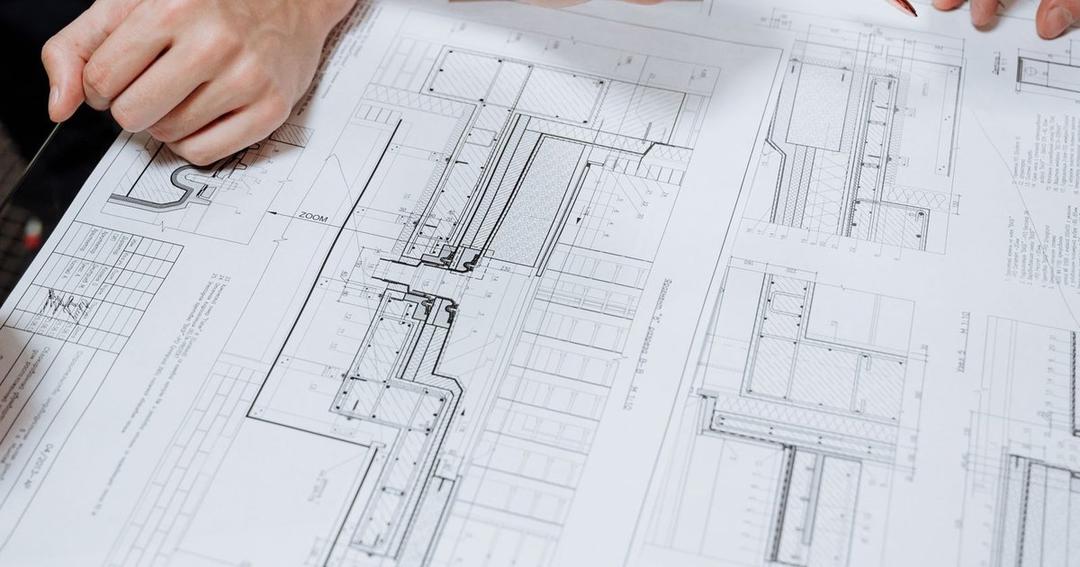
Design firms trade in documents that are large, valuable and constantly changing. A single project can involve thousands of drawing sheets, specifications, calculations, reports and correspondence, and the people who need them include clients, sub-consultants, contractors, authorities and suppliers.
The sharing habits that grew up around email and file-transfer links struggle here. Attachments hit size limits, old versions circulate for months, and nobody can say with certainty who received the current set. This guide covers how to share project documents securely without slowing the team down, and where the line falls between everyday sharing and formal project information management.
Why design documents are hard to share well
Four characteristics make architectural and engineering documents unusual.
Size. Drawing sets, models and rendered images are heavy. A multi-discipline package can exceed what email accepts by a wide margin, which pushes staff towards ad hoc file-transfer services that nobody governs.
Churn. Drawings are revised repeatedly. Every revision is a chance for someone to work from an outdated sheet, which in construction can mean expensive rework.
Value. Design information is intellectual property. A competitor who obtains a concept scheme before a competition deadline, or a contractor who reuses a detailed design without paying for it, causes real harm.
Breadth of audience. One project may involve dozens of organisations with different roles. A structural engineer does not need the client's commercial terms, and a contractor bidding on one package does not need the others.
Matching the sharing method to the project stage
Different stages call for different levels of control. The table below is a practical guide rather than a rulebook.

| Project stage | Typical audience | Main risk | Suitable method |
|---|---|---|---|
| Pitch and competition | Prospective client, jury | Concept leakage | Expiring, watermarked, view-only link |
| Concept and design development | Client, co-consultants | Version confusion | Link to a live folder or file that updates in place |
| Coordination | Multi-discipline team | Clashes and outdated models | Common data environment with status control |
| Tender | Bidding contractors | Unequal access, leaks between bidders | Per-bidder links with identical content and activity log |
| Construction | Contractor, authorities | Superseded drawings on site | Controlled issue with revision tracking |
| Handover | Client, facility manager | Missing records | Structured archive with long-term access |
The point is not to buy a tool for every row. It is to know which row you are in before you choose how to send a file.
What a common data environment is, and when you need one
Many public and private clients now require a common data environment, often shortened to CDE. In the framework used internationally for building information management, a CDE is a governed environment for collecting, managing, reviewing, approving and distributing project information, as explained in this overview of ISO 19650. It replaces scattered file shares, email chains and local storage with version control, approval workflows, status tracking and audit trails, and the standard does not prescribe a particular platform.
Information in a CDE typically moves through states: work in progress while it is being developed, shared when it is available for coordination and review, published when it is approved for its intended use, and archived as historical reference. That status model is the real value. Everyone can see which version is authoritative and what it may be used for.
If your contract or client demands this approach, use a platform designed for it. A general-purpose link tool is not a substitute for formal status control. But most firms also need a quick, secure way to send material that sits outside the formal project environment, and that is where lighter tools help.
Handling very large files
Large files are the everyday annoyance. Some practical habits reduce the pain.

Share by link, not attachment. A link points to one stored copy and avoids size limits. The guidance on sharing large PDF files covers compression, splitting and delivery.
Bundle sensibly. Rather than five separate emails, group a drawing package behind one link. The how-to on sharing multiple files with one link shows how to present a set cleanly.
Use PDF for review, native files for work. Clients reviewing a scheme rarely need native model files. Sending PDF sheets keeps file sizes down and prevents unintended edits.
Name files predictably. A consistent naming convention, with project, originator, discipline, type and revision, makes it easy to tell what a file is without opening it. This is good practice whether or not a formal CDE is in place.
Version control without breaking links
The most damaging failure in design communication is a stale drawing. Someone prints sheet A-201 revision B when revision D is current, and the error is not found until the work is on site.
Two approaches reduce the risk. First, issue documents through a single source and discourage forwarding. When a link always opens the latest version, recipients cannot be working from an old copy that you have since replaced. The explainer on updating a shared PDF without changing the link describes how this works and what to check afterwards.
Second, record what was issued and when. A simple issue register listing sheet numbers, revisions and recipients gives you a defensible position if a dispute arises. Combined with view tracking on the shared link, you can show who opened the revision and when.
There is a trade-off. A live link is convenient but can silently change under a reader, which is unwelcome for contract documents that must be fixed at a point in time. For tender packages and contract issues, freeze the set, record the issue, and share it as a dated, immutable package.
Protecting design IP
Intellectual property worries tend to peak at two points: competitions and tenders.
In a competition, the concern is that the concept escapes before the decision. Use view-only links with a dynamic watermark carrying the viewer's identity, set an expiry that ends shortly after the decision date, and send each juror or evaluator a separate link so activity is attributable.
In a tender, the concern is fairness and leakage between bidders. Give each bidder an identical package through its own link, keep the contents the same, and keep a log showing who opened which documents and when. If a bidder later claims they were not given something, the record answers the question.
For ongoing client relationships, a short statement in your terms about reuse of design information, together with technical controls such as expiring links and download limits, supports your position if a client shares material with a third party without permission.
Contracts and signatures
Appointment letters, collateral warranties, variation orders and certificates are often signed electronically. In the United States, the federal E-SIGN Act provides that, for transactions in interstate or foreign commerce, a signature, contract or record may not be denied legal effect, validity or enforceability solely because it is in electronic form, as set out in 15 U.S.C. 7001. Other jurisdictions have their own rules, and some document types are carved out, so check with counsel for cross-border or unusual contracts.
For sharing, the practical lesson is to keep the signing process separate from the viewing process. Share contract drafts for review through an access-controlled link, then move to a proper signing flow for execution.
Working with sub-consultants and external parties
Large projects add a long tail of external recipients: specialist consultants, surveyors, planning authorities, utilities and suppliers. Each needs a defined slice of information.
Set up access by role. Give a mechanical engineer the architectural backgrounds and the services drawings, not the fee proposals. Set expiry dates to match the engagement, and remove access when the work ends. The article on creating an expiring link for a confidential file explains the setup, and the walk-through of sharing documents for review covers comment-oriented workflows.
When many parties share documents and expect formal Q&A, structured transmittals and a full audit trail, the requirements begin to resemble those of a data room. The industry overview in best virtual data room for construction explains where that boundary lies for the construction sector.
Choosing a tool for the everyday layer
Alongside any formal CDE, most firms benefit from a light layer for client previews, competition entries, fee proposals, tender issues and quick reviews. Look for the following capabilities.
- Reliable handling of large PDFs and image sets
- Links that can be updated without changing the address
- Restriction by email address and by date
- View-only mode and watermarking for sensitive material
- A clear activity log showing opens and time spent
- Simple bundling of many files behind one link
- Predictable monthly pricing across many projects
SendNow is one option that fits this everyday layer. Disclosure: SendNow is our own product, so compare it with alternatives against your own list.
SendNow: secure document sharing with view tracking, NDA gating and dynamic watermarks, from $9/month.
Its document plans are Lite at $9, Pro at $17 and Business at $43 per month, with expiring links, download blocking and microsites for presenting a project showcase. It does not provide formal CDE status workflows, so keep it for the informal layer and use a dedicated platform where a contract requires one.
A simple routine for project teams
- Decide at project start which documents go through a formal environment and which go through simple links.
- Agree a naming convention and an issue register.
- Share by link, not attachment, for anything larger than a few megabytes.
- Use view-only, watermarked links for competition and concept material.
- Freeze and record tender and contract packages.
- Review who still has access at each stage change.
- Close all links at handover and archive the final record.
Frequently Asked Questions
What is the best way to send large drawing sets to a client?
Share them by link rather than attachment, ideally as a bundled set in PDF form. Restrict the link to the client's email, add an expiry and enable view tracking so you can see whether the package was opened.
Do I need a common data environment for every project?
No. A CDE is appropriate when a client or contract requires formal information management, for example under ISO 19650. For informal project exchange, previews and competition entries, a lighter link-based tool is usually sufficient.
How can I stop old drawing versions circulating?
Share a link that always shows the latest version, avoid emailing attachments, and keep an issue register of revisions and recipients. For contract documents, freeze the set at issue so the version is fixed and recorded.
How do I protect a competition entry from leaking?
Use separate view-only links for each evaluator, apply a dynamic watermark that carries the viewer's identity, disable downloads and set the link to expire shortly after the decision date.
Can electronic signatures be used on design contracts?
In the United States, the E-SIGN Act says a signature or record cannot be denied legal effect solely because it is electronic. Rules vary elsewhere, so confirm requirements for your jurisdiction and contract type with counsel.
How should tender packages be shared with bidding contractors?
Give each bidder an identical package through its own link, restrict access by email, set a common expiry and keep an activity log. That supports fair treatment and gives you a record if a question about access arises later.
Related Guides & Research
Recommended next reading for deal teams and transaction leaders.
Secure Document Sharing for Accounting Firms
How accounting and tax firms can send financial statements, returns and audit packs securely: client portals vs links, FTC Safeguards basics, access controls and retention.
Secure Script Sharing for Film Production Teams
Design a secure script distribution workflow for producers, directors, cast, crew and vendors across pre-production, shooting and wrap.
Best VDR for Law Firms 2026: Top Data Rooms for Legal Transactions
The best virtual data rooms for law firms in 2026. Compare iDeals, Firmex, Datasite, NetDocuments, and SendNow for M&A due diligence, deal management, and client document sharing.

About the Author: Alex Cartner
Alex Cartner writes about virtual data rooms, due diligence and secure document sharing for VDR Directory.